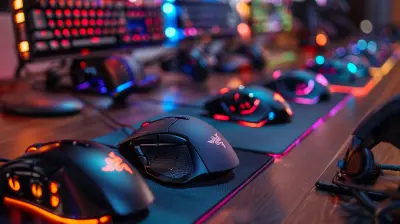
The Science Behind Gaming Mouse Precision
11 March 2026
If you've ever wondered why a high-end gaming mouse feels smoother, snappier, and just more "on-point" than a regular office mouse, you're not alone. The truth is, there's a fascinating mix of tech wizardry and engineering magic powering every click, flick, and scroll. Welcome to the juicy details on the science behind gaming mouse precision—and spoiler alert, it's a lot cooler than you might think.
Whether you're a casual gamer, a competitive esports player, or just someone tired of missing sniper shots due to wonky mouse movement, this article will break down the science behind why precision matters—and what exactly makes a gaming mouse precise in the first place.
What Makes a Gaming Mouse Different?
Let’s start with the obvious: not all mice are created equal.Gaming mice aren’t just overpriced gadgets with flashy RGB lights (though, let’s be honest, those lights are awesome). They’re built from the ground up for speed, accuracy, and comfort. While a standard everyday mouse is fine for emails and spreadsheets, a gaming mouse is engineered for pixel-perfect tracking and lightning-fast response.
But what really sets them apart?
Well, let’s break it down.
DPI: The Heartbeat of Mouse Sensitivity
Okay, let’s talk DPI—short for "dots per inch." Think of DPI like the gas pedal on your car. The higher the DPI, the faster your cursor zooms across the screen with even the smallest movement.Why Does DPI Matter?
Well, imagine you're playing a first-person shooter. You're trying to line up that perfect headshot. If your mouse is sluggish or inconsistent, you’re toast. A higher DPI lets you move quickly, while a lower DPI gives you more control for precise aiming.That’s why most gaming mice come with adjustable DPI settings—sometimes even a dedicated “sniper” button to instantly drop sensitivity for high-precision shots.
Still, more DPI isn’t always better. It’s about finding that sweet spot where speed meets accuracy. Like balancing on a tightrope, but with pixels.
Polling Rate: The Mouse's Reaction Time
Next up, we’ve got the polling rate. Sounds fancy, right? But it’s just the number of times your mouse reports its position to your PC every second.Standard vs Gaming
- Office mice usually have a polling rate around 125Hz.- Gaming mice? Think 500Hz, 1000Hz, and even higher.
So, at 1000Hz, your mouse updates its position every millisecond. That’s the kind of speed you need in fast-paced games where every millisecond can mean the difference between victory and defeat.
Sensor Tech: The Brain Inside
Now here’s where things get super geeky (and super cool).Everything your mouse does starts with its sensor. This little piece of hardware sits on the bottom of the mouse and tracks your hand movements. There are two main types of sensors:
1. Optical Sensors – Uses LED lights to detect movement.
2. Laser Sensors – Uses lasers (duh) and can work on more surfaces.
Optical vs Laser: What’s Better?
In the world of gaming, optical sensors usually win. Why? They’re more accurate and more reliable—especially for games that need precise movements. Laser sensors tend to pick up on tiny imperfections in the surface, which can throw off performance. It’s like trying to steer a race car on a bumpy road—not fun.Acceleration: A Gamer's Love-Hate Relationship
Mouse acceleration sounds like a good thing, right? It makes your cursor move farther if you move the mouse faster. But here’s the catch—it can mess with your muscle memory, big time.Imagine swinging a baseball bat and the bat randomly changes weight depending on how fast you swing. Sounds chaotic? That’s what acceleration feels like in gaming.
Why Gamers Turn It Off
Most competitive gamers disable mouse acceleration because they want raw, consistent movement. You want your character to turn the exact same amount every time you move the mouse a certain distance. Precision is king.Lift-Off Distance: The Little Detail That Matters Big Time
Yes, this is really a thing—and no, we're not making it up.Lift-off distance is the height you can lift your mouse off the pad before the sensor stops tracking movement. It’s crucial for people who pick up and reposition their mouse often (which is a lot of gamers).
A lower lift-off distance prevents the cursor from jumping when the mouse is lifted. Translation? Smoother gameplay, fewer surprises.
Weight and Ergonomics: More Than Just Comfort
Let’s face it—if you game for hours, your hand’s gonna feel it. That’s why ergonomics and weight are major players in the precision game.Weight
Some like a heavy mouse for controlled, deliberate movements. Others go for lightweight designs for faster flicks. Lucky for us, many gaming mice come with weight tuning kits so you can customize the feel. It’s like adjusting the suspension on a race car.Shape Matters
The shape of your mouse can make or break your gaming performance. Claw grip, palm grip, fingertip grip—different mice are tailored to different styles. The more naturally your hand fits the mouse, the less strain and the more precise your movements.Surface Matters Too: Pads Make a Difference
You wouldn’t wear dress shoes to run a marathon, right? The same logic applies to mouse pads.A good gaming surface can drastically increase precision. Hard surfaces = speed. Soft cloth pads = control. Some even come optimized for specific types of mouse sensors.
So yeah, that $5 mouse pad from the office supply store? Probably not cutting it for esports-level performance.
Software Support: Fine-Tuning Precision
Most top-tier gaming mice come with software that lets you fine-tune just about everything:- DPI settings
- Polling rate
- Button mapping
- RGB lighting (because why not?)
But more importantly—some software lets you calibrate the mouse to your specific surface. This helps eliminate jitters and inaccuracies, boosting overall precision like a finely tuned instrument.
Wired vs Wireless: Is Lag Still a Thing?
Ah, the age-old debate: wired or wireless?Once upon a time, wireless mice were considered too slow for competitive gaming. Not anymore.
Thanks to advanced RF tech and Bluetooth Low Latency protocols, many modern wireless gaming mice are just as fast—and sometimes even faster—than their wired counterparts.
And let’s not forget: no wires = cleaner desk and fewer snags during intense moments.
Real-World Impact: Does Precision Truly Matter?
Short answer: YES.In fast-paced competitive games like CS:GO, Valorant, Apex Legends, or Fortnite, even the tiniest bit of lag or inconsistency can cost you a round (or a win streak). When mouse movement translates directly into in-game action, precision becomes your best friend.
So yeah, those extra bucks you drop on a quality gaming mouse? Totally worth it.
Tips to Maximize Mouse Precision
Wanna squeeze every drop of precision out of your setup? Here are a few quick wins:- Disable mouse acceleration in Windows/game settings.
- Keep your sensor clean—dust and gunk are the enemy of accuracy.
- Invest in a quality mouse pad.
- Calibrate your mouse using its software.
- Use USB 3.0 ports for optimized data transmission (if wired).
- Adjust DPI sensitivity based on the game you’re playing.
Final Thoughts: The Tool That Makes the Difference
Alright, let’s wrap this up. The science behind gaming mouse precision is a cocktail of DPI, polling rate, sensor tech, ergonomics, and even surface compatibility. It might sound like overkill to some, but in the high-stakes world of gaming, that extra edge matters.A gaming mouse isn’t just a tool—it’s an extension of you. The better it understands what you want to do, the more precise your actions, and the better your gameplay.
So next time you land that crispy headshot or pull off a perfect flick, give a little nod to the tech behind the scenes. Science, baby—it’s what makes the magic happen.
all images in this post were generated using AI tools
Category:
Gaming MiceAuthor:

Tayla Warner
Discussion
rate this article
2 comments
Joel Barker
Gaming mouse precision is crucial for performance. Understanding its science not only enhances gameplay but also boosts competitive edge. Investing in the right technology can truly elevate your gaming experience. Game on!
March 13, 2026 at 4:53 AM
Tayla Warner
Absolutely, the right gaming mouse can make all the difference. Precision is key, and understanding its mechanics helps gamers unlock their full potential. Happy gaming!
Zane McMeekin
Unlock your true gaming potential! Understanding the science behind mouse precision can elevate your skills, transforming every click into a winning move!
March 12, 2026 at 5:18 AM
Tayla Warner
Thank you! Understanding mouse precision is indeed key to enhancing gaming performance. Every detail counts!