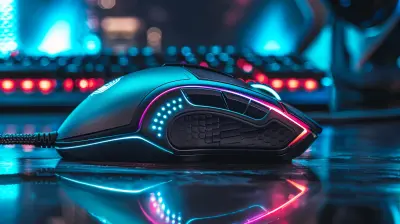
Are Lightweight Mice Better for Wrist Health?
4 June 2026
If you've ever spent hours clicking away at your computer—whether for gaming, work, or scrolling through memes—chances are you've felt a twinge in your wrist at some point. That ache? It’s often your body’s way of saying, “Hey... something’s not right.” One question making the rounds in gaming and productivity circles is: Are lightweight mice better for wrist health?
Good question. Let’s break it down in a simple, relatable way.
What’s the Deal With Wrist Pain Anyway?
Before we talk about mice (yes, the gadget, not the critter), let’s talk wrists. Your wrist is a busy intersection of nerves, bones, tendons, and muscles. And when you’re using a mouse for hours with poor ergonomics or repetitive motion, it can lead to common issues like:- Carpal Tunnel Syndrome
- Repetitive Strain Injury (RSI)
- Tendonitis
Basically, your wrist gets annoyed with you. It rebels. That’s when the pain starts creeping in.
Why the Weight of Your Mouse Matters
Alright, let’s get straight to it—does the weight of your mouse affect wrist health? The short answer: Yes, absolutely.A lightweight mouse can actually reduce the strain on your wrist and forearm. Think of it like this: carrying a heavy grocery bag versus a light one on a long walk. Which one leaves your arm sore? The heavier one, of course.
Well, when you’re gaming or working all day, and your wrist is constantly lifting, dragging, and repositioning that mouse, even a few grams can make a difference. Over time, that extra effort adds up.
How Lightweight Mice Help Your Wrist
Let’s break down how these feather-light devices can cut you some slack.1. Less Resistance, Less Stress
A lighter mouse glides more easily across your desk or mouse pad. That means your muscles don’t need to do as much work to move it. Less friction = less tension = happier wrist.2. Quicker Movements, Lower Effort
Gamers, you know this one. In twitchy first-person shooter games or fast-paced MOBAs, speed and precision matter. A lightweight mouse allows for quicker reaction times and smoother flick shots—all without straining your hand to death.And if you’re not gaming? You’ll still benefit. Simple tasks like selecting text, dragging folders, or editing video become less of a chore when your mouse isn’t weighing you down.
3. Encourages a Natural Grip
Heavy mice often require a tighter grip and more wrist movement. Lightweight mice, on the other hand, allow you to relax your grip and rely more on arm movement—more ergonomic and wrist-friendly.
But It’s Not All Rainbows and Unicorns
Okay, before you go tossing out your current mouse, let’s be real—lightweight isn’t always better for everyone.1. Less Stability for Some Users
Heavier mice can feel more stable and planted, especially if you have larger hands. They may give you more control in tasks that require precision. If you’re used to a certain heft, switching to a featherweight mouse may feel too twitchy or sensitive.2. Personal Preference Plays a Huge Role
Just like with shoes, one size doesn't fit all. Some users simply prefer a heavier mouse and feel more comfortable with it, wrist pain or not. It's always about striking the right balance between comfort, performance, and health.So... Are Lightweight Mice the Answer?
Here's the honest truth: Lightweight mice can be BETTER for wrist health, but only when combined with good ergonomics and habits.Imagine trying to solve back pain by buying a softer mattress—but you still sit hunched over all day. Not gonna work, right? The same applies here. A lightweight mouse can make a big difference, but only if you're also:
- Using a proper desk and chair setup
- Keeping your wrist in a neutral position
- Taking regular breaks
- Doing wrist stretches
How to Choose the Right Lightweight Mouse for You
If you're thinking, "Alright, you've convinced me. I'm getting a new mouse!"—hold on just a sec. There are a few things to look for when choosing a quality lightweight mouse.1. Weight (Obviously)
Most lightweight mice fall under 80 grams. Some ultralight models are even under 60 grams! Brands like Glorious, Finalmouse, and Razer have some fantastic options in this category.2. Shape and Grip Style
Are you a palm, claw, or fingertip grip user? Find a mouse that matches your grip style. Even a lightweight mouse won’t help if it forces your hand into an uncomfortable position.3. Sensor Quality
Especially for gamers—make sure it has a good sensor (like PixArt 3360 or 3395). Precision is key, and you don’t want tracking issues interfering with your performance or comfort.4. Build Quality
Light doesn’t mean cheap. Many lightweight mice are now made with high-quality plastics and honeycomb designs that shed weight without sacrificing durability.The Science Behind It
Still skeptical? Let's look at what health experts and ergonomic studies say.According to several occupational health specialists, reducing repetitive force is key to preventing wrist injuries. That means the less effort you need to exert to move your mouse, the lower your risk of strain-related conditions.
Also, physical therapists often recommend minimizing wrist deviation and maintaining a neutral wrist angle. A lighter mouse, which encourages more controlled arm movement and less flicking of the wrist, helps support that advice.
Plus, think about gaming pros—those guys and gals play for hours each day. What kind of mice do they use? You guessed it—ultralight ones, often paired with large mousepads to enable low-sensitivity arm movements. That’s not just for better gameplay. It’s for long-term comfort, too.
Ergonomics Matter More Than You Think
A lightweight mouse is a piece of the puzzle—but it’s not the whole picture. Let’s talk about some other tricks you can use to keep your wrists in tip-top shape.1. Invest in a Good Mousepad
Yes, it does make a difference. Look for a mousepad with a smooth glide and enough surface area to allow full arm movement. This encourages using your shoulder and elbow rather than just your wrist.2. Watch Your Posture
Are you bending your wrist at an awkward angle? Resting your hand on the edge of your desk? Stop that! Your wrist should float comfortably in line with your arm—not bent upward or downward.3. Take Breaks (Like, Actually Take Them)
Every hour, take a 5-minute break. Stretch. Shake it out. Walk around. Do some wrist rotations. These little resets keep problems from building up.Final Thoughts: Should You Make the Switch?
If you’re dealing with wrist pain or just want to future-proof your hands, switching to a lightweight mouse could genuinely help. They offer less resistance, reduce fatigue, and may lead to a more relaxed hand posture.That said, it’s not a magic fix. Comfort isn't solely about weight—it’s about the whole ecosystem: your desk setup, habits, posture, and yes, the mouse.
So, are lightweight mice better for wrist health?
Most likely, yes. Especially when paired with proper ergonomics, they can be a smart move toward a more wrist-friendly setup—without sacrificing performance.
Your wrist will thank you later.
Quick Tips Recap
- ? Go lightweight for less strain and fatigue- ? Match your mouse to your grip style
- ? Use a good mousepad and ergonomic setup
- ? Take regular breaks and stretch those wrists
- ? Prioritize comfort over hype—there’s no “one-size-fits-all
all images in this post were generated using AI tools
Category:
Gaming MiceAuthor:

Tayla Warner
Discussion
rate this article
1 comments
Reagan Rosales
Great article! I've always wondered about lightweight mice and their impact on wrist health. It's fascinating to see how gaming gear affects our well-being.
June 12, 2026 at 3:27 AM
Tayla Warner
Thanks for your comment! I'm glad you found the topic interesting. Lightweight mice can indeed make a difference in comfort and wrist health for many users.